

Luui is the operating system for authoring video based courses
Builder
Luui’s Course Editor
Building courses for your own audience happens right in Luui.
Luui Resources – video clips, text – or external resources from websites, repositories, Google Docs – are integrated into your course as fragments
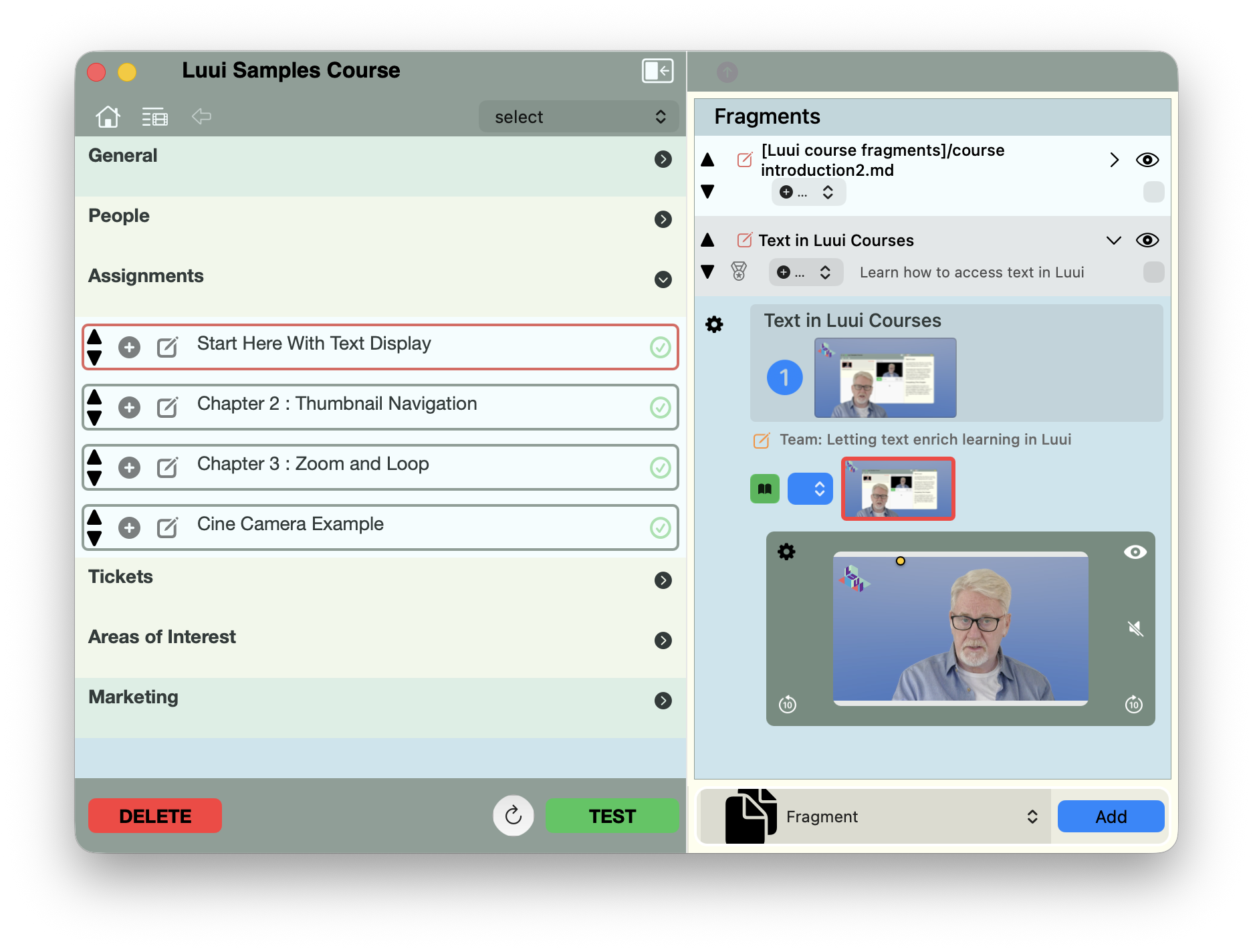
Using Builder, you have control
The main editor
The Inspector
-
Manage the title, description and visibility of your course
-
invite other people to use use your course; or add team members who’ll contribute to the creation and upkeep of your course
-
Shown here, in each chapter of your course, manage the resources that create a great learning experience
-
View the action items that you and your team identify, and go straight to the resources that your learners have togged for improvement
-
Luui lets you classify your course as targeted at particular interests. These directly connect to learners who have include the same or similar interests
-
Directly control the information users looking for courses will see in the Luui catalog, to help them select your course.
What Are Fragments?
Luui breaks with the YouTube model. Instead, each skill or subskill your course demonstrates has its own individual clip.
This gives the learner way more control over how video is presented. Each clip can be individually looped; clusters of individual clips can be grouped so they can be shown in sequence, or looped individually. Within a clip, the control panel allows you as learner to set up a loop for just a small section, so you can really dig in to what’s being shown; focus on the details you’d miss when the video goes sailing by in YouTube.
Why Fragments Matter
using fragments means that courses can stay up-to-date, reflecting changing versions, practices, products, ideas and contexts that the course references. Something in a clip or a text block isn’t quite right? Change it in as little as a minute or two, and upload to immediately upgrade the course. Better yet, Luui can broadcast to all past and present students that the upgrade has happened, Now everyone’s skills are upgraded as well.
in Luui, all the things that go into a course – video, text, images/graphics, and so on – remain separate, editable parts. Luui gives it all structure, and gives learners and course creators much more freedom to organize learning the way that’s effective for them.
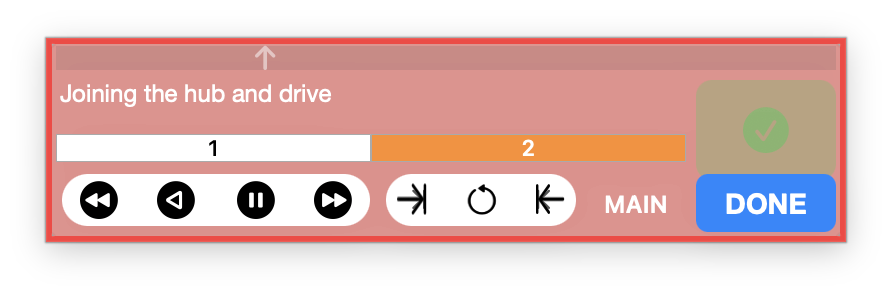
The Control Panel
key to Luui’s presentation of video is the control panel, visible at the bottom of the image. The user begins by setting an inpoint and an outpoint on the timeline, then activates loop mode.
Now, they can focus on just the short sequence that shows a detail they’re interested in, without dragging the playhead all the time.