
Screenshots
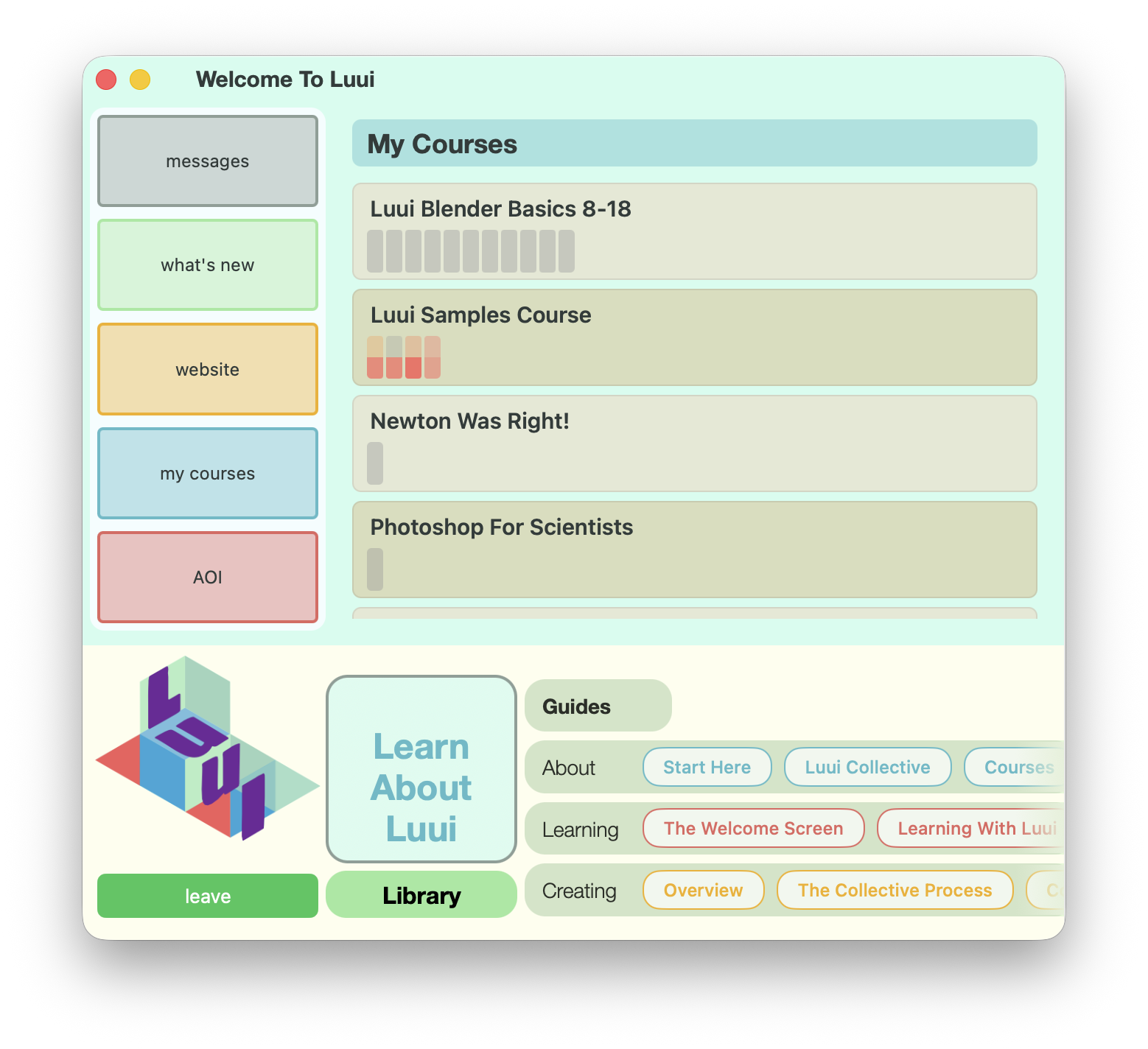
Welcome
This is where it begins. The welcome screen in Luui brings together what you need to navigate the operating system for video based learning. My Courses contains your personal library; Messages and What’s New alert you to the things you need to know, like courses that have been updated.
Areas of Interest (AOI) is where you define the things that you want to learn, which are also the categories that Luui will use as our Library of courses expands
And at the bottom, About, Learning and Creating provide an hour or more of orientation videos that answer the questions you have, and explain how Luui works.
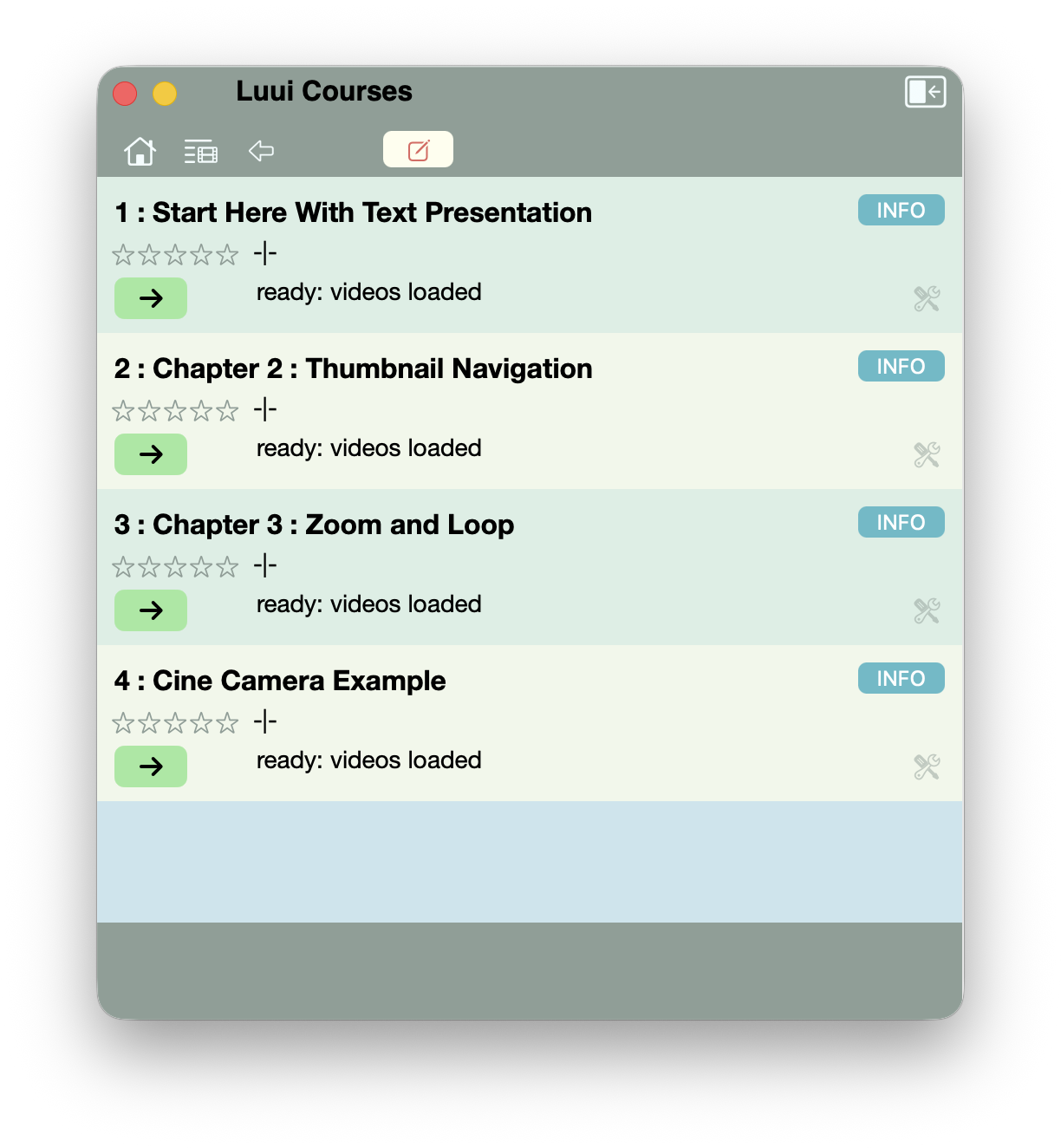
Course Chapters
Choosing a course in your personal library, or the Library will take you to the chapters that that course contains.
Luui’s structured organization of course content lets you as a creator lay out your content as you think works best. As a learner, you can follow all the chapters in order; or selectively follow only those that interest you.
if you own the course, the white button in the header bar allows you to extract the course in its eniterty for editing in the Builder, Luui’s course creation and updating editor, built into Luui.
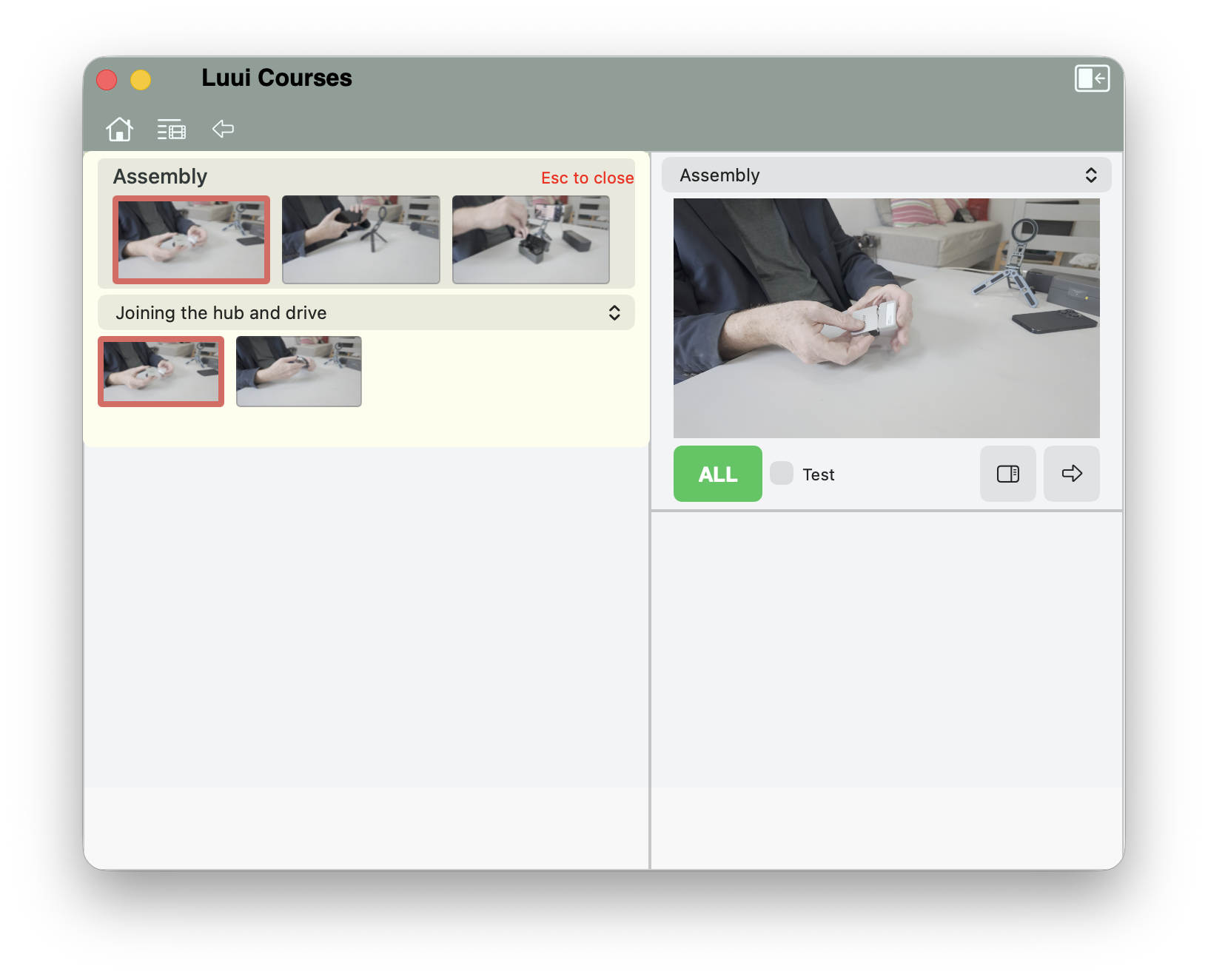
Challenges
Inside each chapter are one or more challenges. This is where the videos are hiding. Clicking on a challenge brings you to this view.
in the top row on the left are the different blocks associated with the current challenge. Each block has one or more videos: in the second row, you’ll see a thumbnail for each clip inside the block. On the right is a preview of whichever video clip you’ve selected.
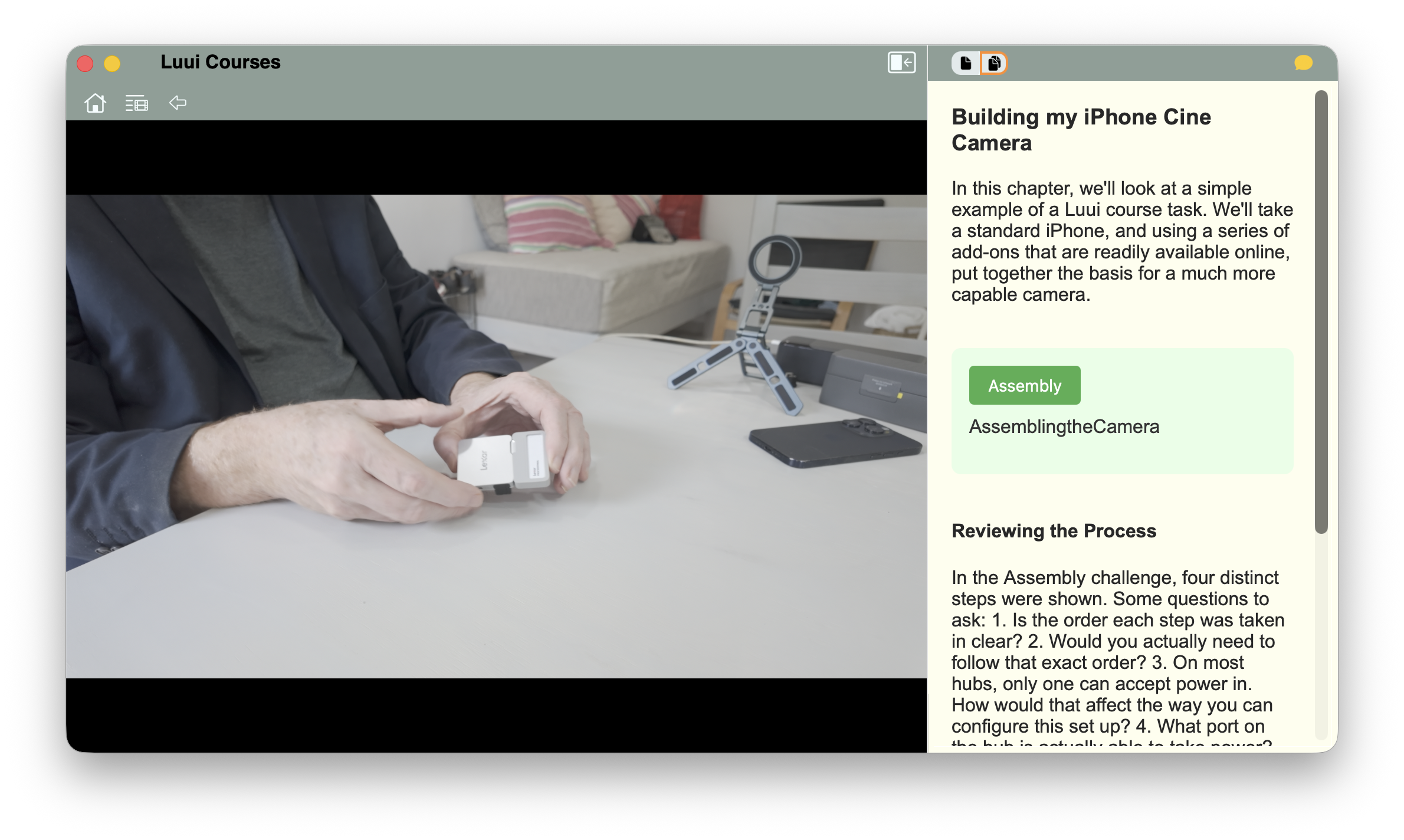
Video
Clicking on the preview zooms the video up to fill the window. Videos also have accompanying resources, which a keystroke exposes.
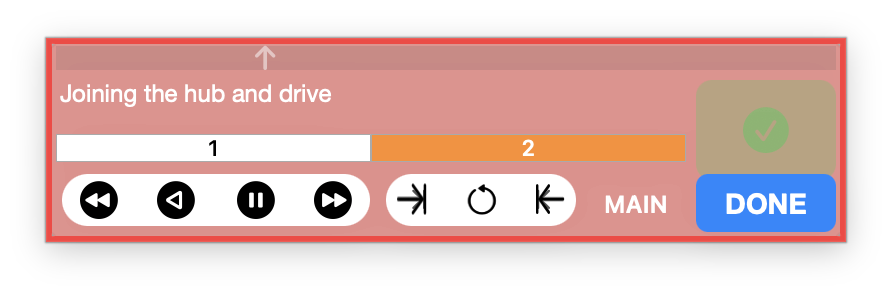
Additionally, a control panel opens up that lets you move from clip to clip, control looping, stop start and even set up in and out points in the video, to allow you to focus on just one part of the timeline